
[ad_1]

Level Infinite rolled out the latest PUBG Mobile 4.3 update. Check out the PUBG Mobile 4.3 Update Download Links And Step-by-Step Guide.
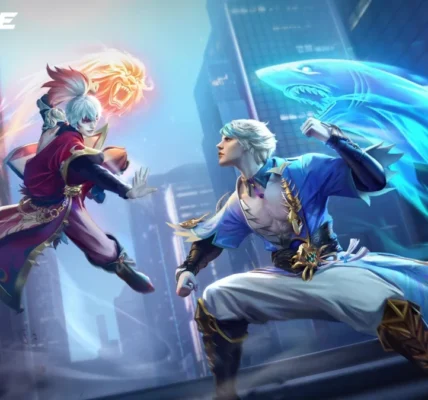
PUBG Mobile has officially rolled out its massive 4.3 Update, marking a huge milestone as the game celebrates its 8th Anniversary. This update isn’t just a minor patch; it’s a total overhaul featuring the “Evolving Universe” theme, the debut of the legendary M1 Garand rifle, and the return of the fan-favorite Jujutsu Kaisen collaboration.
If you are looking to jump back into the action and explore the new futuristic Erangel, here is your simple, no-nonsense guide to downloading the update on any device.
How to Download PUBG Mobile 4.3 Update on Android
Android users have two main ways to get the update: the Google Play Store or the official APK file.
Via Google Play Store
GOOGLE PLAY STORE LINK – Click Here
- Open the Google Play Store app on your phone.
- Search for “PUBG Mobile” in the search bar.
- Click on the game icon. You should see a green “Update” button.
- Tap it and wait for the download to finish.
- Note: If you only see “Play,” try clearing your Play Store cache or waiting a few hours as the update rolls out in phases.
Via Official APK Link
If the update isn’t showing up on the store yet, you can download it directly from the Official PUBG Mobile Website.
- Go to the official site and look for the “APK Download” button.
- Once downloaded, tap the file to install.
- Enable “Install from Unknown Sources” in your phone settings if prompted.
ALSO READ –
How to Download PUBG Mobile 4.3 Update on iOS (iPhone/iPad)
For Apple users, the process is straightforward through the App Store.
App Store Link – Click Here
- Launch the App Store on your iPhone or iPad.
- Tap on your Profile Icon at the top right corner.
- Scroll down to see “Available Updates.”
- Find PUBG Mobile and tap “Update.”
- Alternatively, search for “PUBG Mobile” directly and hit the update button on the game page.
Pro-Tips for a Smooth Update
- Storage Space: Ensure you have at least 3GB to 4GB of free space. While the initial download might be smaller, the in-game resource packs (HD icons, maps, etc.) require extra room.
- Stable Wi-Fi: Update files are large. Using a stable Wi-Fi connection prevents file corruption and saves your mobile data.
- Restart Your Device: After the installation is complete, a quick restart of your phone can help the game run smoother and prevent initial lag.
Editor’s Pick
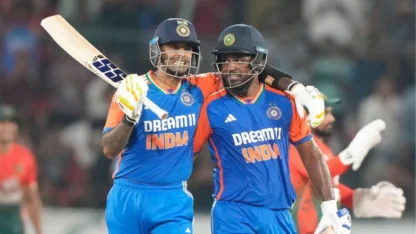
‘Sanju Samson didn’t chase 100’: Suryakumar Yadav reveals what he told star before T20 World Cup
Share article

Tell us why didn’t you like our article so that we can improve on?
ICC Test Ranking
ICC ODI Ranking
ICC T20I Ranking
[ad_2]
Source link